| Audience | Fleet Admins |
| Applies To | Fleet Dashboard > Safety |
Introduction
Fleet Admins can receive notifications and tags added against the safety risk events. These tags can be viewed and edited from the Fleet Dashboard.
Steps: Changing risk tag of a safety event
1. Log into the Fleet Dashboard, click on the Safety in the left-hand menu.
2. Click on the Events tab.
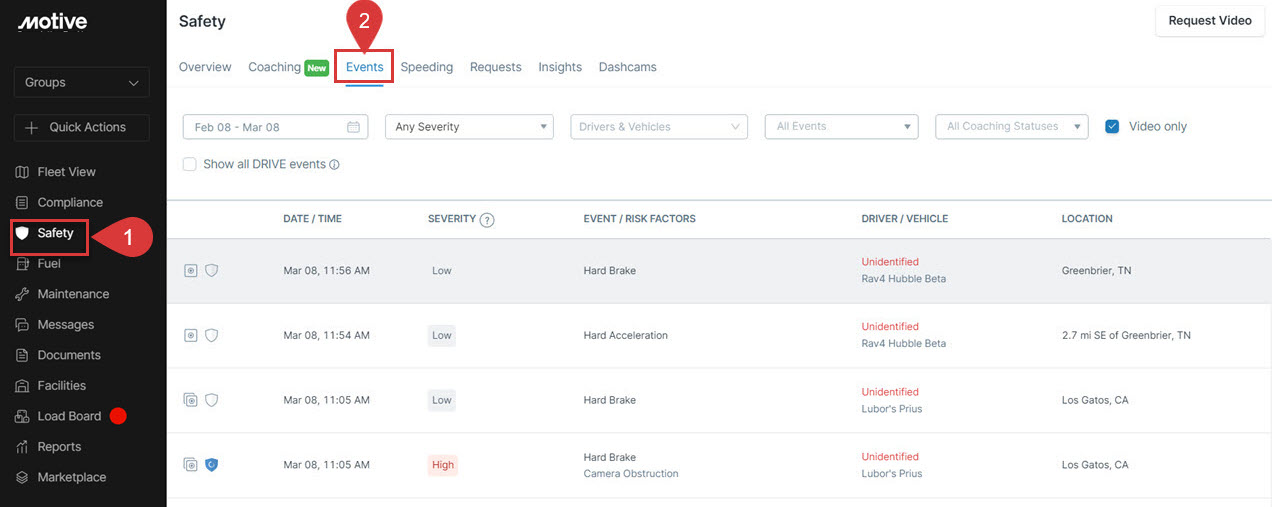
3. Click on the event you would like to open.
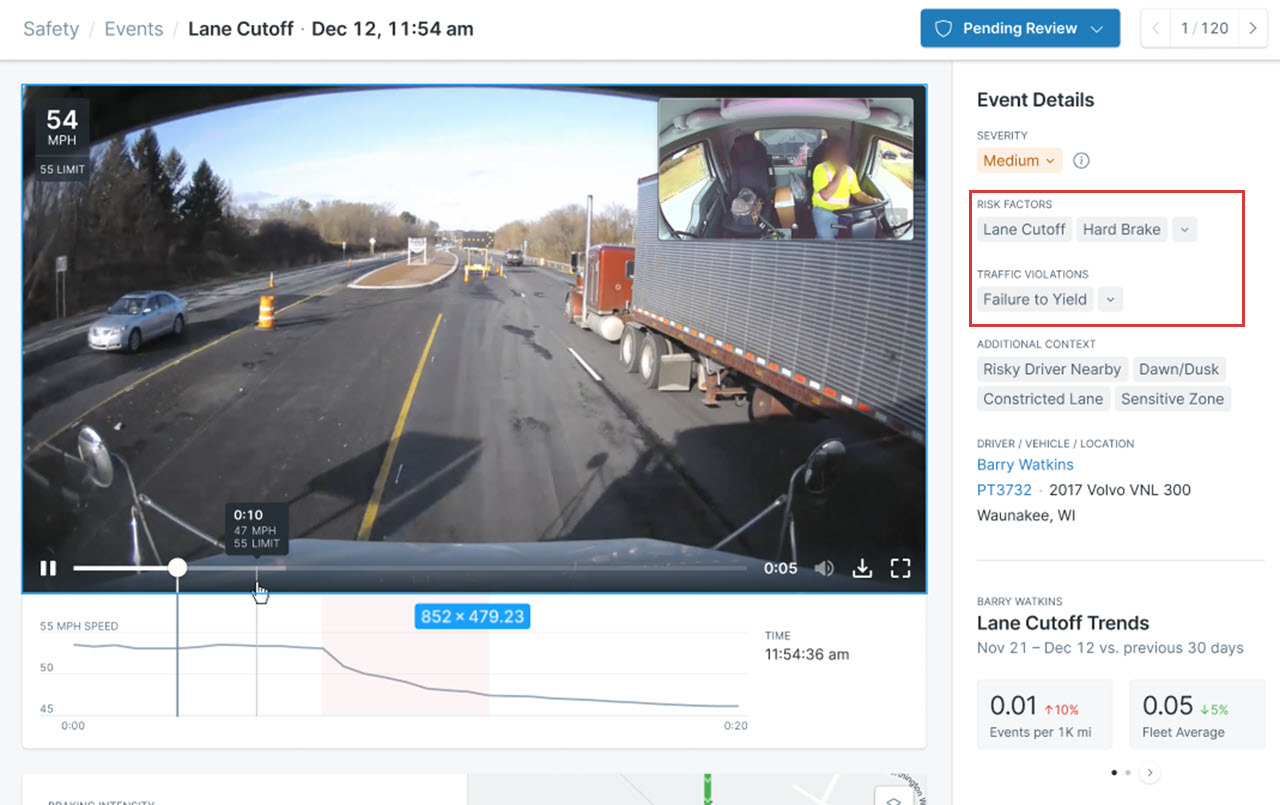
4. Click on the arrow next to Risk Factors and Traffic Violations to change to an option of your choice from the respective dropdowns.
Related Content
Was this article helpful?
Share this with others