| Audience | Fleet Admin |
| Applies To | Fleet Dashboard > Admin > Fleet Users |
Introduction
Live streaming allows fleet managers to view live AI Dashcam video in their Fleet Dashboard remotely, in real-time.
Steps: Giving Fleet Users permission to request a live stream
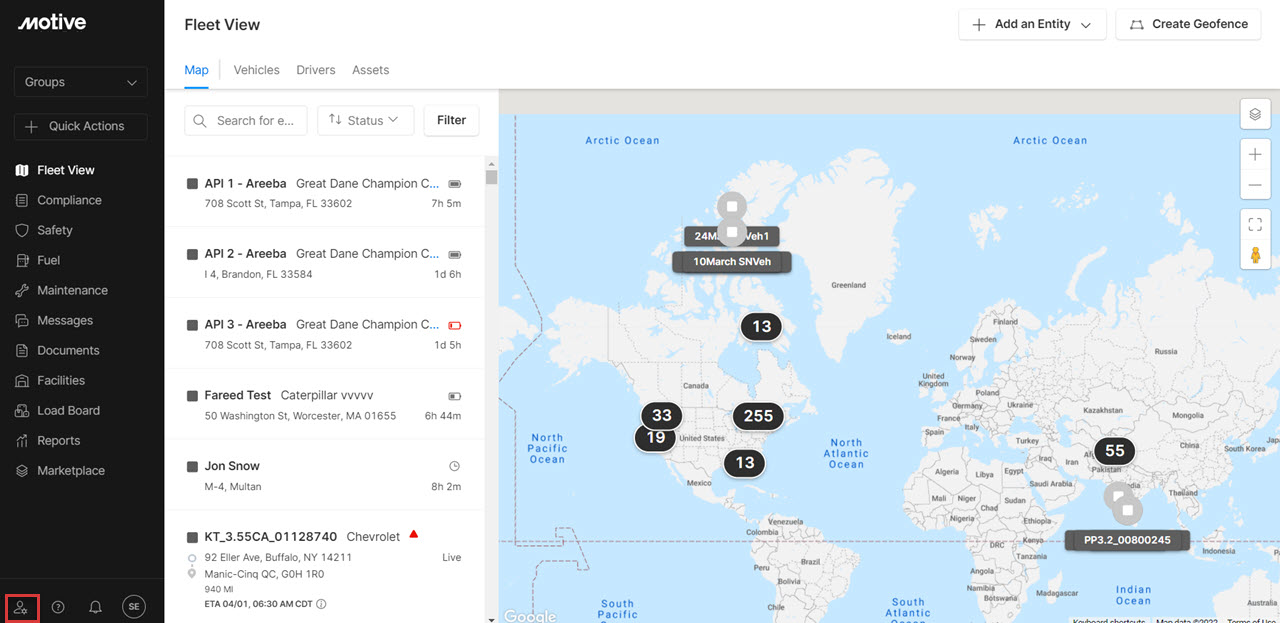
1. Log into the Fleet Dashboard. Click on the Admin icon in the bottom left corner of the menu.
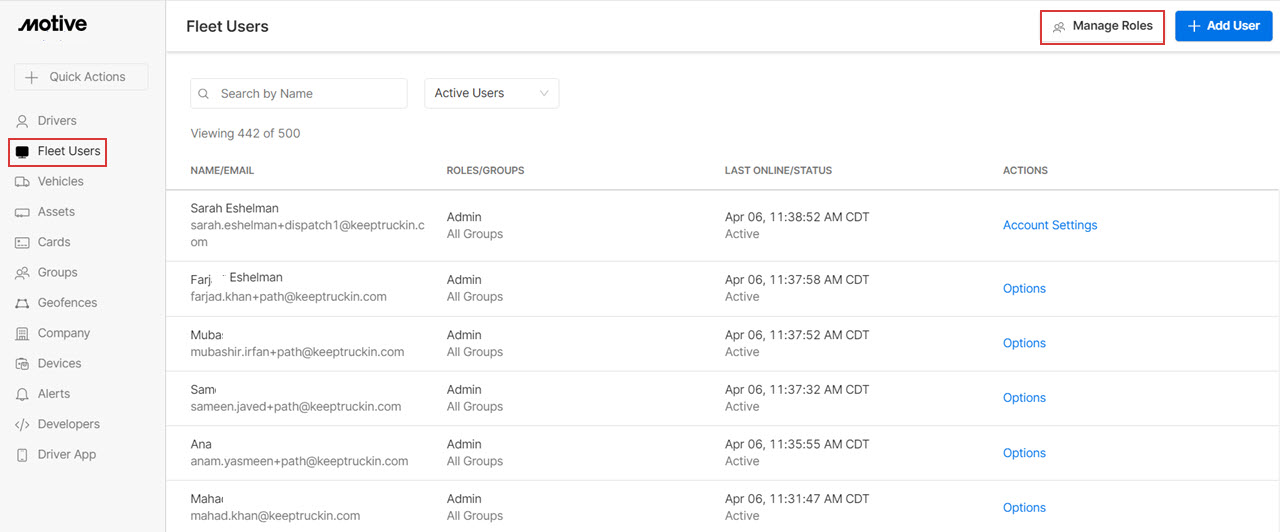
2. Click on Fleet Users in the left-hand side menu and click on the Manage Roles button.
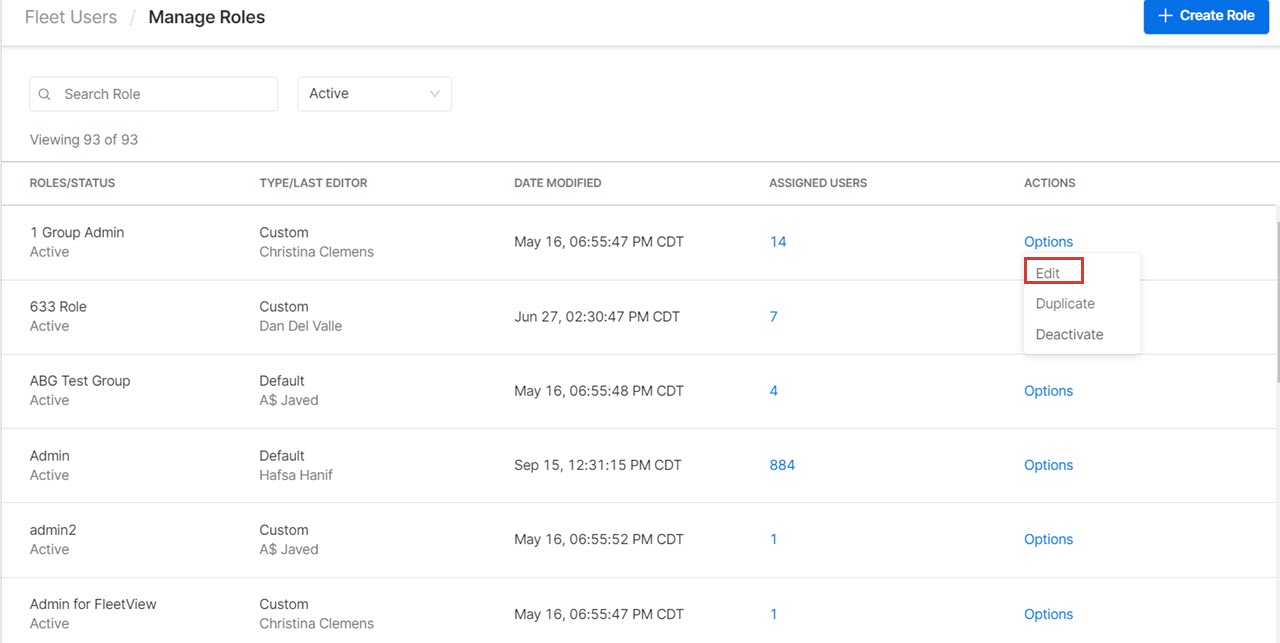
3. Click on Options next to the user you want to give permission to and select Edit from the dropdown menu.
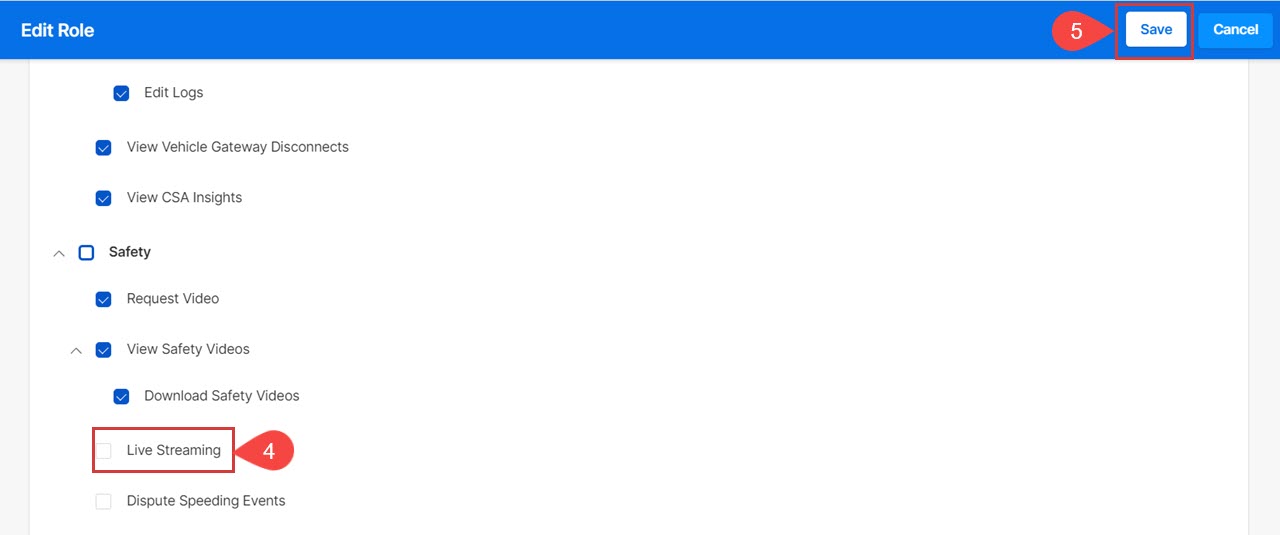
4. Scroll down to Safety permissions. Check the Live Streaming option.
5. Click Save to proceed.
Related Content
- Live Streaming Overview
- How to enable Live Stream for vehicles?
- How to Initiate a Live Stream
- How to buy more Live Stream Footage
Was this article helpful?
Share this with others